
Do You Know How to Navigate In A Whiteout?
The weather can change quickly in the mountains. Those distant clouds can quickly creep in and before you know it everything goes white. When you’re backcountry skiing, climbing, or mountaineering, whiteouts can be a disorienting and vertigo-inducing experience. Do you know how to navigate in a whiteout?
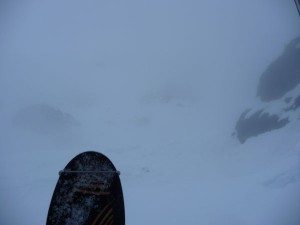
A true whiteout means that you can’t tell up from down, east from west, or north from south. It’s like being on the inside of a ping pong ball. Combine whiteouts with snow, wind, and cold and even the most experienced mountain enthusiasts will find that route finding is not easy.
Here are a few tips to help your whiteout navigation skills:
- Pre Trip Tour Planning – A proper pre-trip tour plan is essential for every mountain adventure. Use your map and compass to familiarize yourself with the route. Make a tour plan that includes UTM coordinates, elevation, elevation change, bearing, distance, and slope angles. Note any handrails and mark any waypoints. Here is a detailed way to write up a route plan or use mapping programs like Avanet or HillMap.
- Always Check The Weather – Check the weather forecast before you head out. It will give you a good idea if any nasty weather is moving in. If you’re out in the mountains and you see the weather changing, take a bearing and pinpoint your location while you still have some visibility.
- Take Mental Notes Throughout The Day – As you are climbing, hiking, or skiing, take notes of landmarks, waypoints, and elevations. These could come in handy when you are disoriented later. Jot down any notes in your handy Rite In The Rain book.
- Have The Right Tools – For whiteout navigation you absolutely must have a map, compass, and altimeter. This is the bear minimum. From this you can tell aspect and elevation. You can take bearings and begin to navigate. Make sure your equipment is calibrated and always trust your equipment. Your tools won’t lead you astray. If you truly do not know where you are, pull out your GPS or use Gaia on your smartphone to find your UTM coordinates. Use the UTM coordinates to plot your position on your map. Don’t put full faith in your GPS/smartphone because technology can fail. Goggles and waterproof shells are also very helpful in a whiteout.
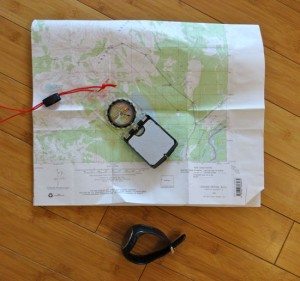
Map, Compass, Altimeter - Double Check For Accuracy – After you have an idea of where you are and where you want to go, consult with your backcountry partners to ensure you all agree.
- Add Depth Perception If Possible – Use your probe, cordelette, rope, or snowballs to help add to your depth perception in the flat light. Keep your eyes out for trees, rocks, or landmarks that you can utilize to keep yourself skiing in a straight line.
- Attempt To Travel – Plan to aim for large map features. Be sure to aim off and use handrails so that you don’t overshoot the hut, ridge, or road. Constantly compare the slope and terrain features that you do find with your map to make sure you’re on track. If you don’t feel comfortable, it’s time to stop.
- Prepare To Stop – Whatever happens don’t panic. If you fear for your safety or are worried about getting lost, it’s time to hunker down. Hopefully you are prepared to spend some time in the mountains. Grab your rescue tarp and build a shelter, throw on your down jacket, eat a snack, and drink some water. It’s better to sit tight than to get lost or get injured.
Practice your whiteout navigation skills before you need them. Test yourself on bluebird days. Try to blindfold yourself and see if you can walk in a straight line. Always use and carry your map, compass, and altimeter – and know how to use them. Be sure to have a GPS/smartphone as a backup.
Whiteouts can be dangerous things. Plan ahead and always be ready in case you find yourself in a white world.
______________________________________________________


